
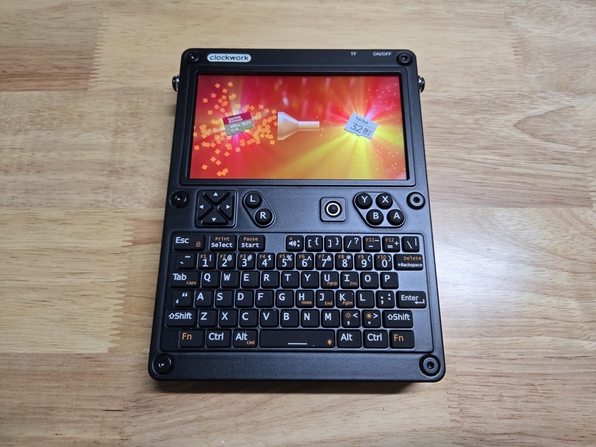
I have a real knack for finding problems that nobody else seems to have come across. Or if they did, they didn’t document it. Or if they did, well maybe I’m just rubbish at looking for the one article that would explain everything out to me. If anything it has trained me to get good at pulling information together to figure out these problems.
Case in point; I wanted to liberate a 256GB MicroSD card from my delightful uConsole. The only other MicroSD cards I had on hand were 32GBs, which I figured was sufficient for the uConsole, and I wanted the 256GB for my PlayStation Vita. Okay, easy. I’ll just shrink the partitions, back them up, and restore them.
Narrator:
It was not easy.
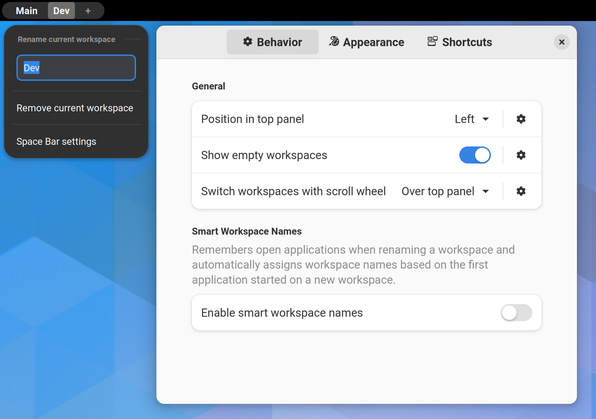
Gnome is a great, low-distraction desktop environment but it’s certainly not perfect out of the box. Fortunately it’s easy to spruce up. Here are some of my favourite extensions!
This guide is mostly a reference for myself as it’s a workflow that I find myself following whenever I set up a new Linux machine. I’m sharing it here as I’m sure many will find this useful, and it will save me from looking up each distinct step in the future.
I also took the opportunity to add some bonus network configuration tips to get the most out of the setup.
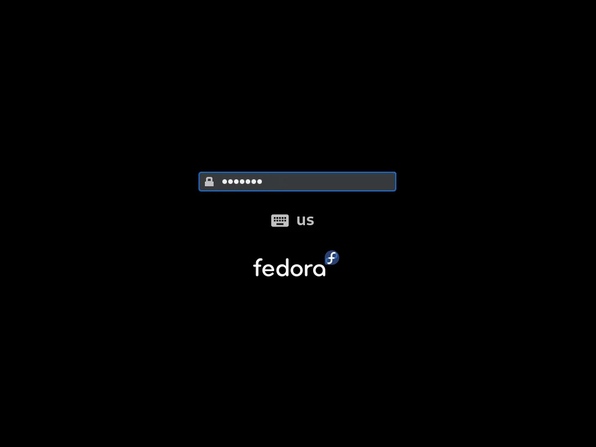
I recently installed Fedora on my personal laptop to replace Manjaro as I found Manjaro to be a just a little too flaky for my liking and I know Fedora to be a solid alternative. During installation I was asked if I wanted to encrypt my drives. Now I’m not harbouring anything particularly sensitive but I thought it was worth doing, security first and all that; after all, we expect every website to support HTTPS these days so why not?
Well there is the matter of that mildly pesky login prompt on every boot…
A quick tip here for when a bluetooth mouse takes a moment to react after not being used for a few seconds. Bluetooth autosuspend can be disabled with a negligible power consumption penalty by setting a kernel parameter on boot.
© Copyright 2026
Phil Watson
Last updated
Sunday, 26/Jul/2026 15:00 +1000